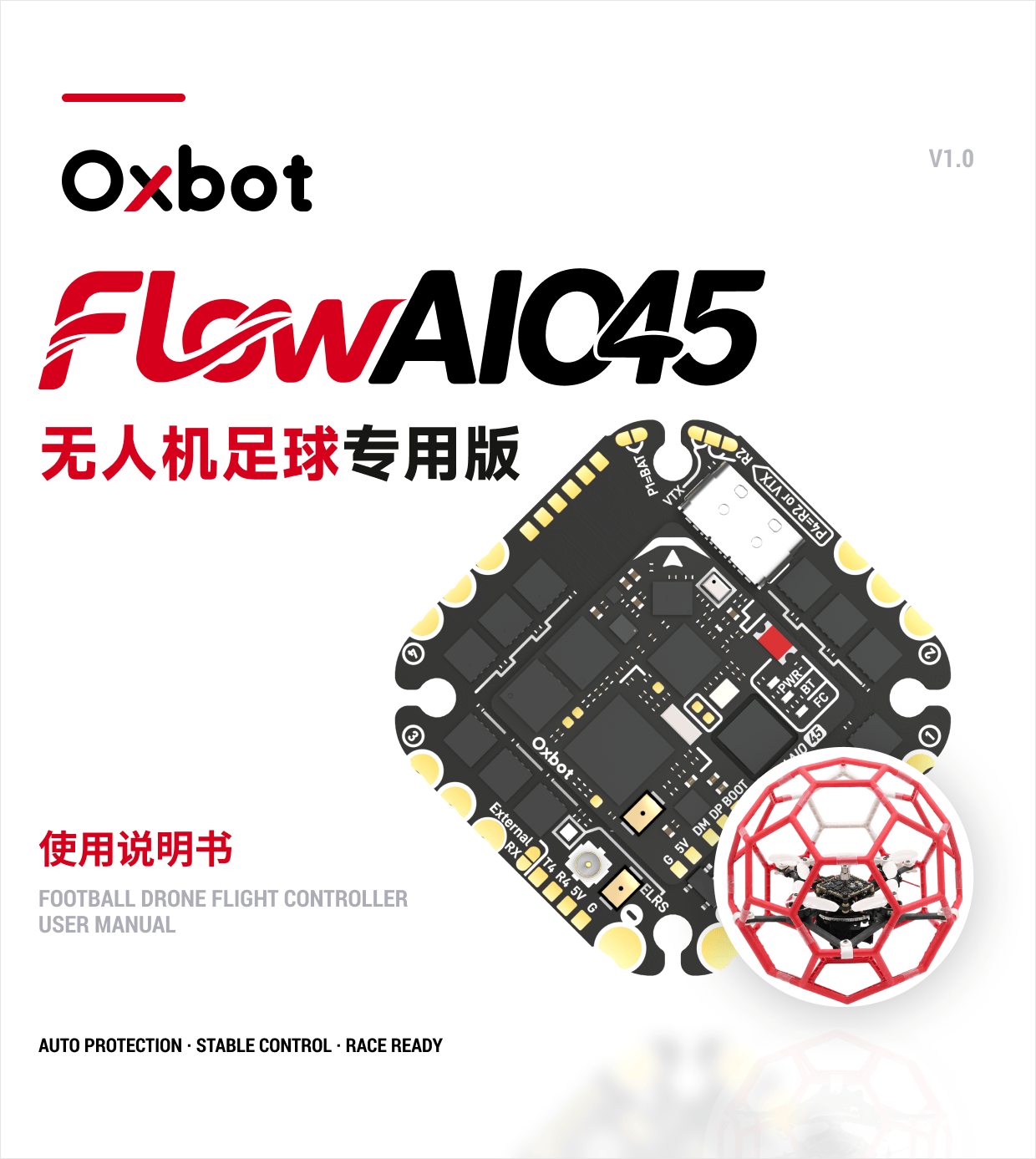
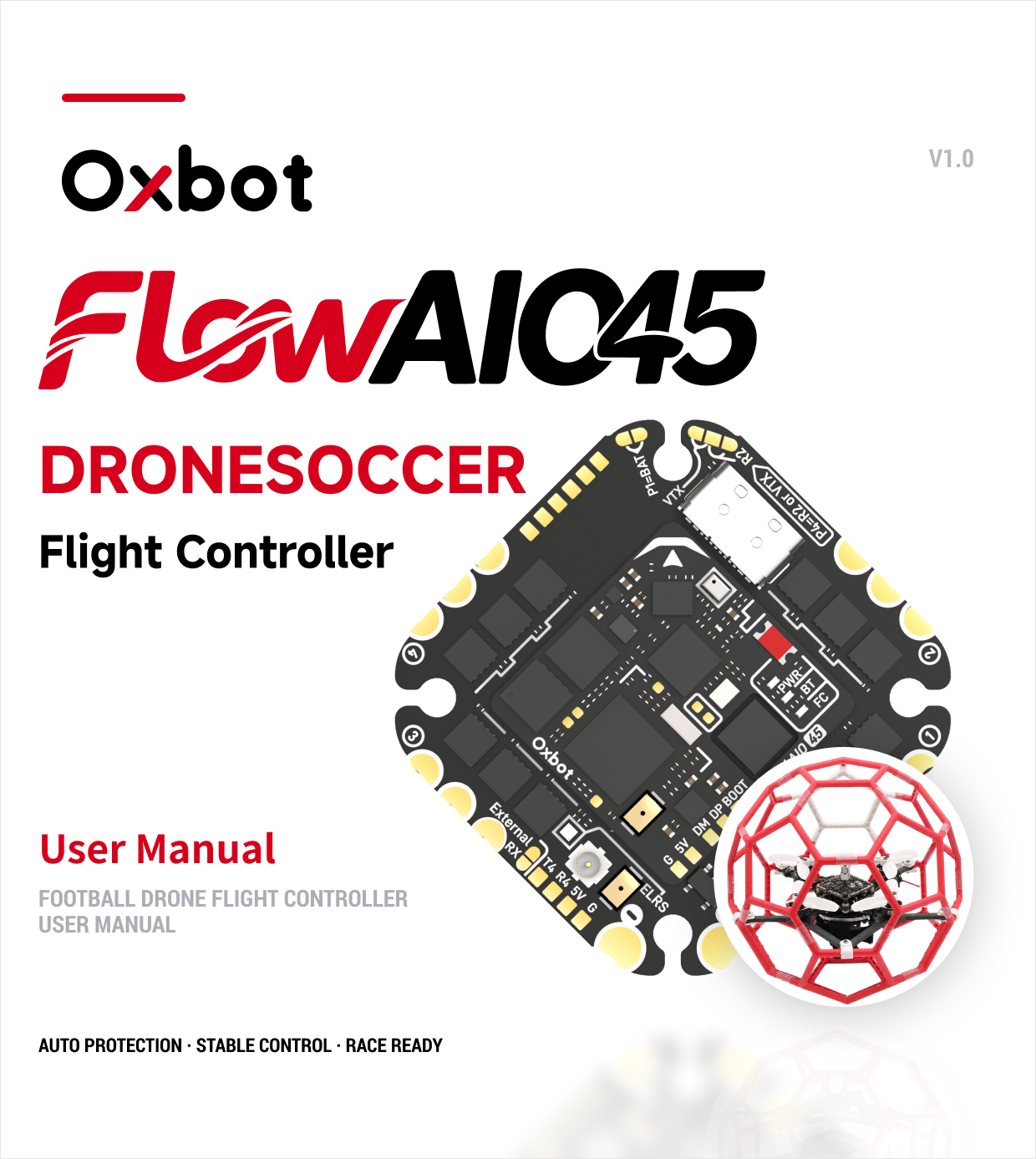
这是一台带“自动保护”的室内竞技/足球无人机(下文简称“球机”),专为球机竞赛而研发。This is an indoor racing/soccer drone featuring "auto-protection" (hereafter referred to as the "Flow AIO45 DRONESOCCER"), specifically designed for drone soccer competitions.
本机不带 GPS、不带定高/光流定点,是一台纯手飞的自稳球机。This drone does not include GPS, altitude hold, or optical flow positioning. It is a purely manual-flown drone in Angle mode.
飞控地面站FC Ground Station
使用飞控地面站,可快速完成飞控连接、参数配置、固件升级等操作,让调试更加简单高效。Use the FC ground station to quickly connect, configure parameters, and upgrade firmware.
 打开飞控地面站Open FC Ground Station
电调地面站ESC Ground Station
使用电调地面站,可配置电机转向、音乐、刷新电调固件等。Use the ESC ground station to configure motor direction, startup music, and update ESC firmware.
 打开电调地面站
Open ESC Ground Station
打开电调地面站
Open ESC Ground Station
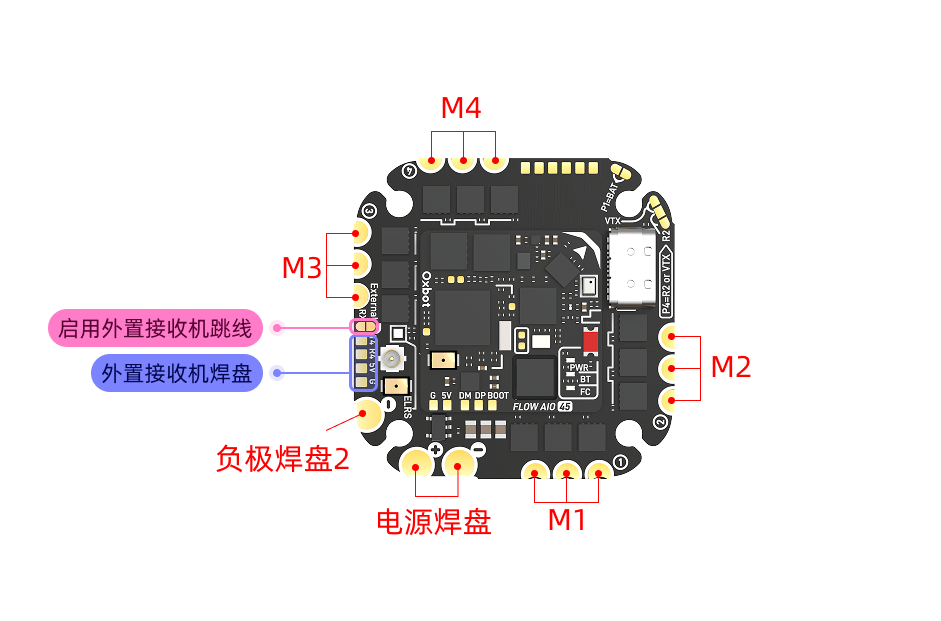
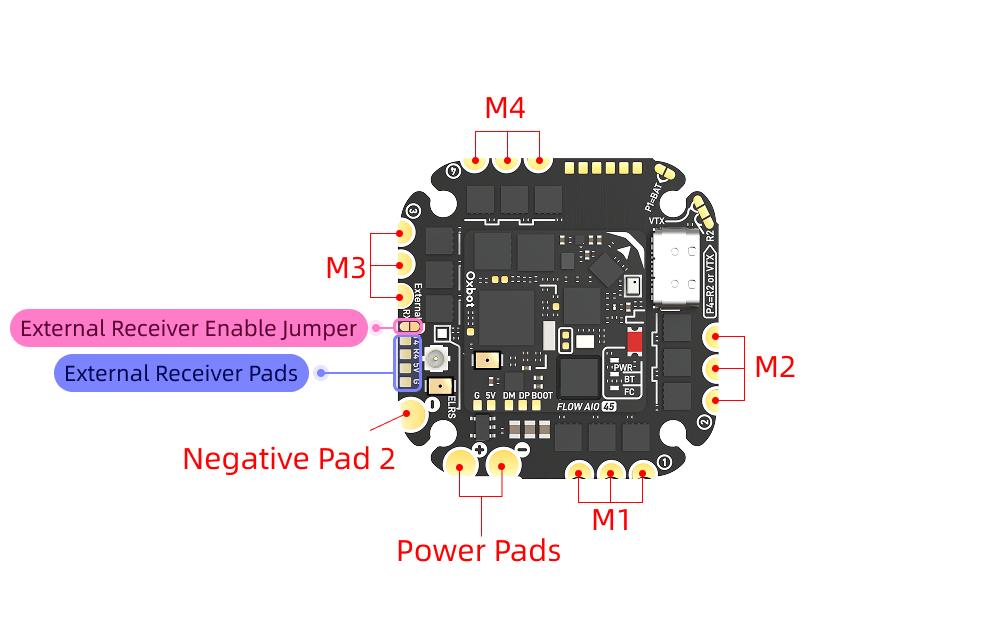
2.2.1 内置 ELRS 接收机2.2.1 Built-in ELRS Receiver
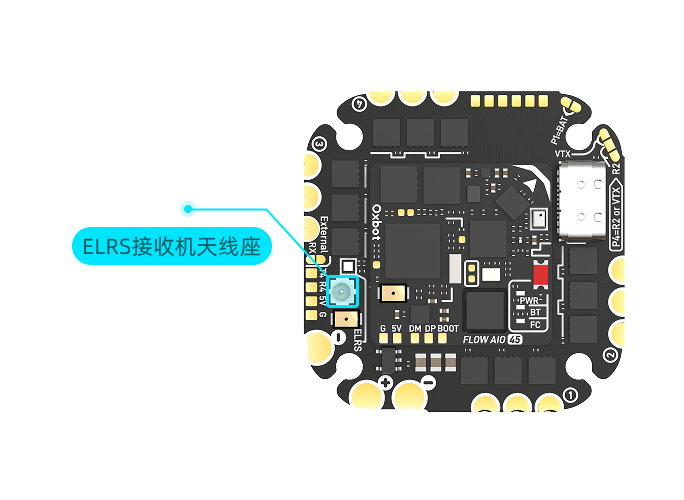
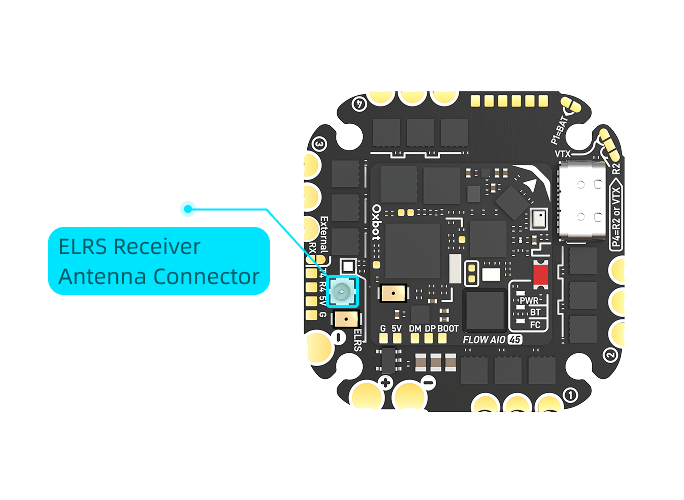
出厂默认已启用内置 ELRS 接收机,无需额外操作。首次使用前,请先将配件编号 #2 的 ELRS 2.4G 接收机天线正确安装至飞控天线座,再进行通电与对频操作。The built-in ELRS receiver is enabled by default; no extra configuration is needed. Before first use, please properly install the ELRS 2.4G receiver antenna (Accessory #2) into the flight controller's antenna socket, then power on and bind.
2.2.2 外置接收机2.2.2 External Receiver
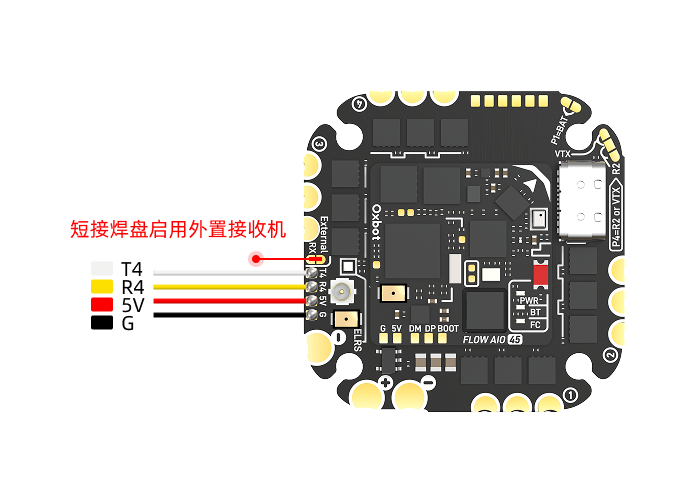
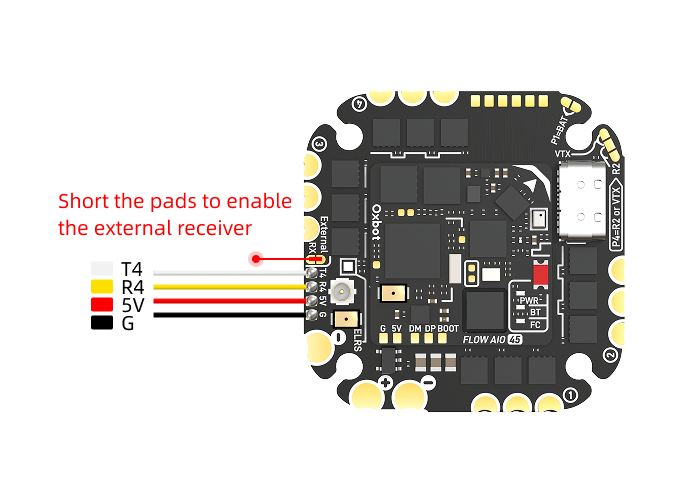
使用外置ELRS接收机时,需短接下图所示焊盘,以启用外置接收机。When using an external ELRS receiver, short the pads shown below to enable it.
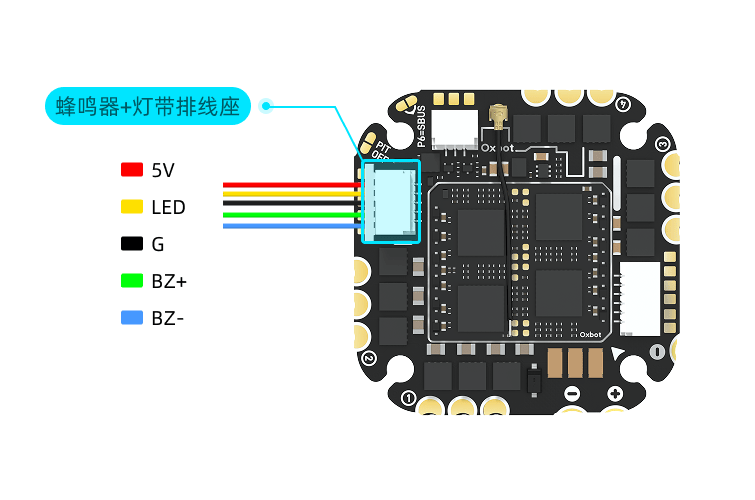
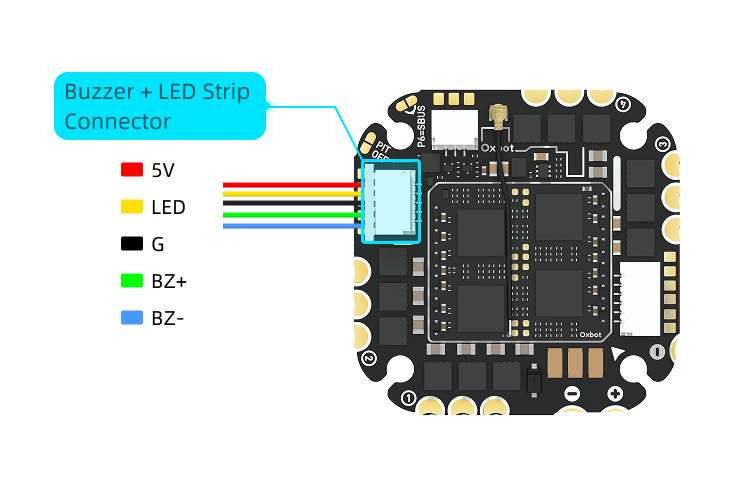
LED 灯带和蜂鸣器接线方式如下:The wiring for the LED strip and buzzer is as follows:
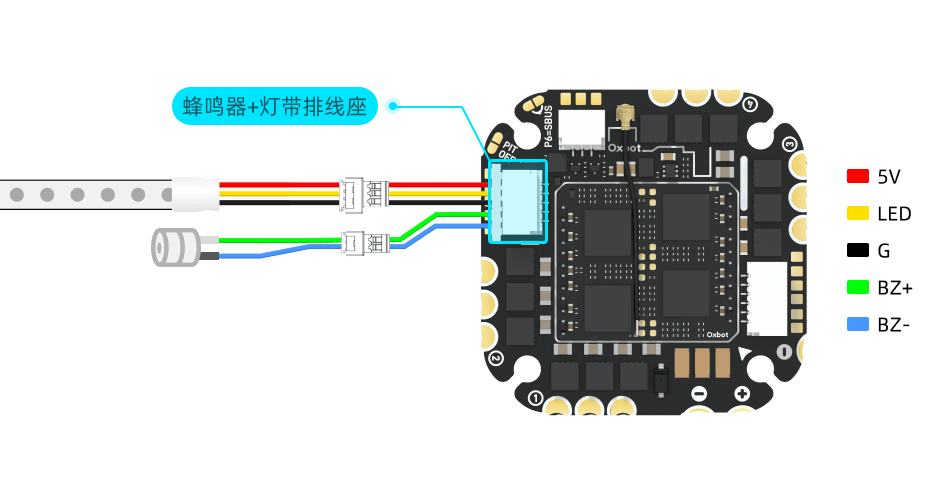
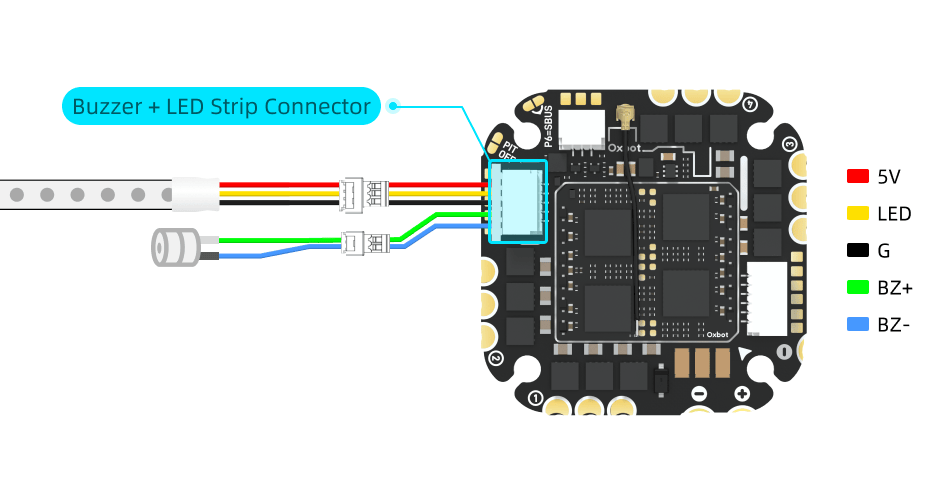
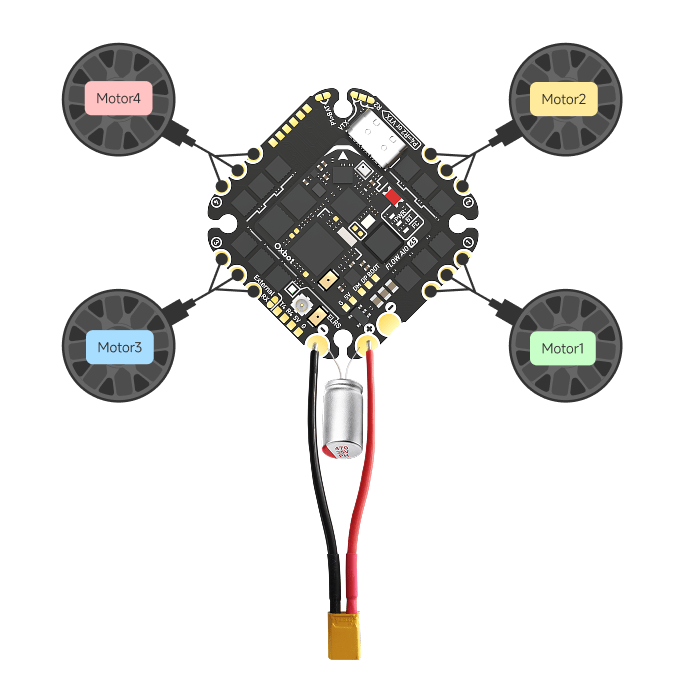
将电池电源线焊接至飞控电源焊盘:红色正极线连接 +(VBAT) 焊盘,黑色负极线连接 −(GND) 焊盘。Solder the battery power cables to the FC power pads: Red positive wire to the + (VBAT) pad, black negative wire to the − (GND) pad.
将四个电机分别焊接至飞控四角的 M1–M4 电机焊盘。Solder the four motors to the M1–M4 motor pads at the four corners of the FC.
电源线及电机线的焊接方式如下图所示:The soldering method for power and motor cables is shown below:
出厂默认按下面的方式分配开关。用的是 ELRS/CRSF 接收机。The default switch assignment is as follows. An ELRS/CRSF receiver is used.
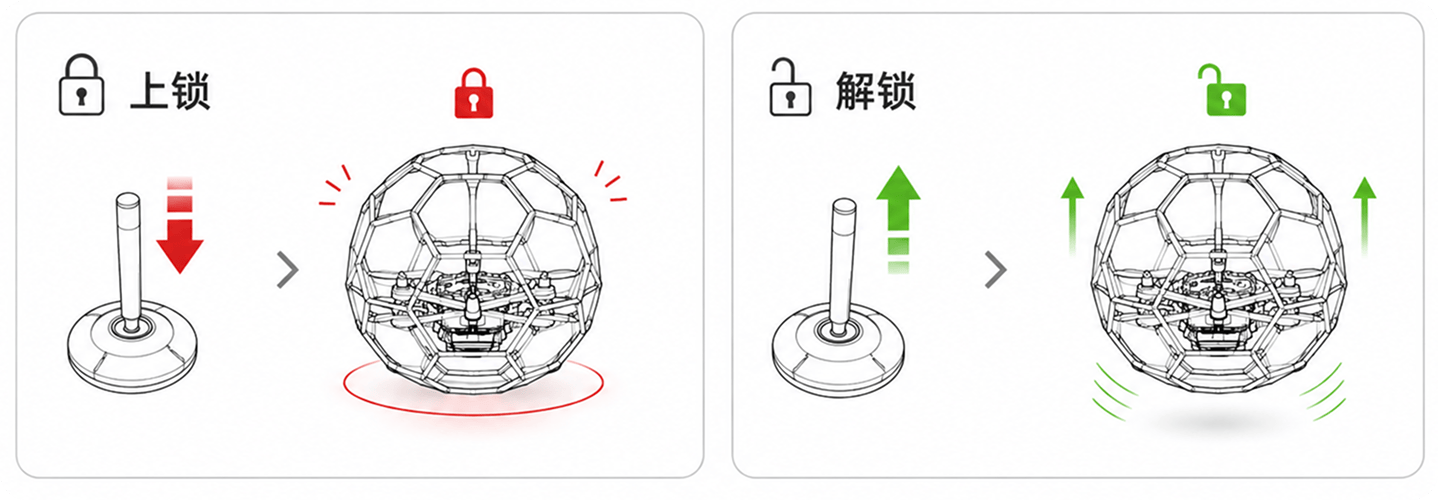
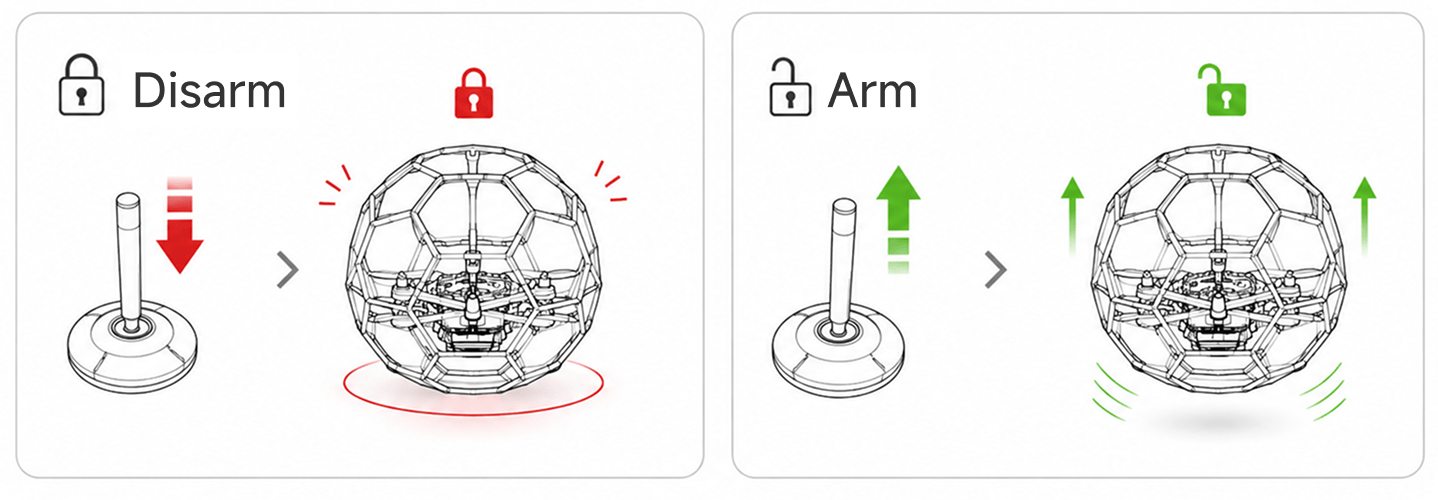
解锁Arming:先把油门收到最低,再把 解锁开关拨到高档。飞机解锁、电机怠速转动,同时进入自稳。Lower the throttle all the way down, then switch the Arm switch to High. The drone will arm, motors will spin at idle speed, and it will enter Angle mode.
上锁Disarming:把 解锁开关拨回低档。电机立即停转。Switch the Arm switch to Low. The motors will stop immediately.
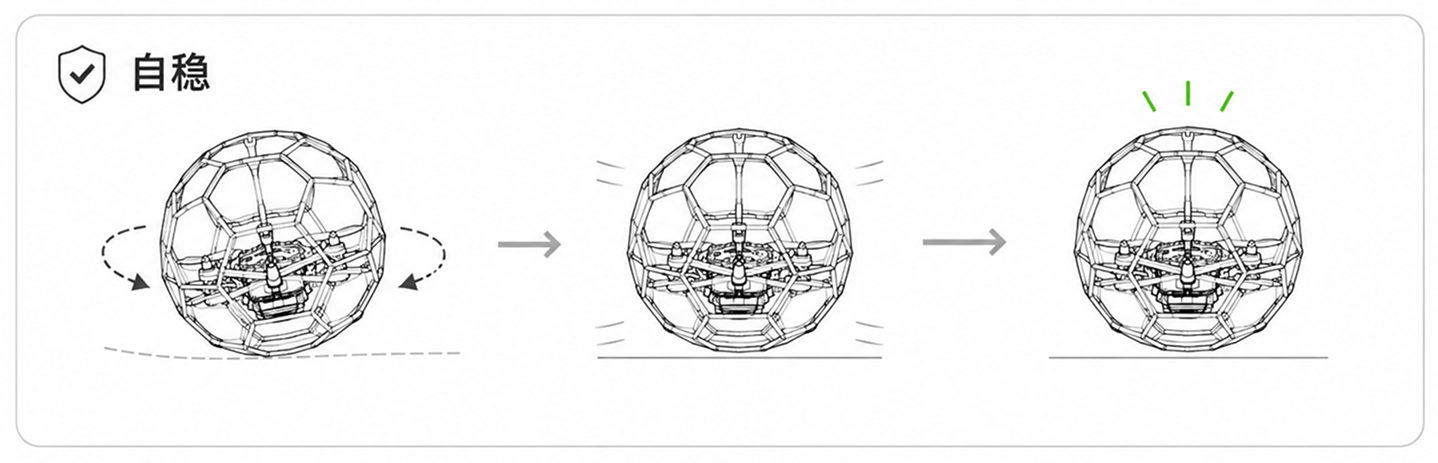
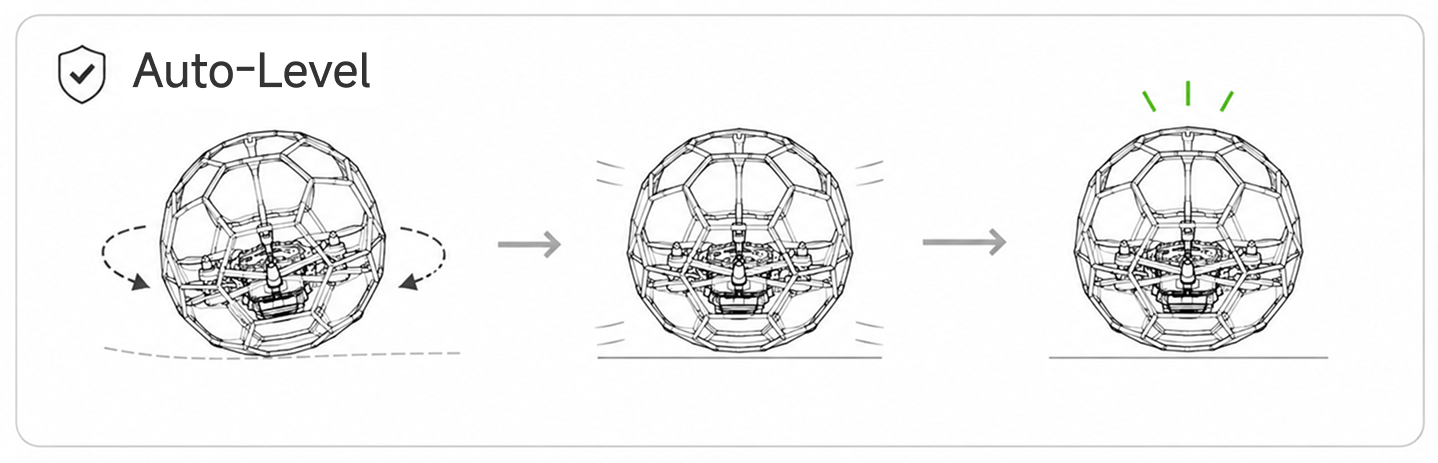
解锁后飞机始终在自稳状态:The drone is always in Angle mode when armed:
松开横滚/俯仰摇杆,飞机会自动回到水平。When you release the pitch/roll stick, the drone will automatically level itself.
打杆时飞机按你打杆的量倾斜,最大倾角有限制,不会一下翻过头。The drone tilts proportionally to your stick input. The maximum tilt angle is limited to prevent it from flipping over.
球机倒置无法正常起飞时,可使用手动反乌龟或一键反乌龟功能。When the drone is flipped upside down on the ground, you can use Manual Turtle Mode or Auto Flip to recover.
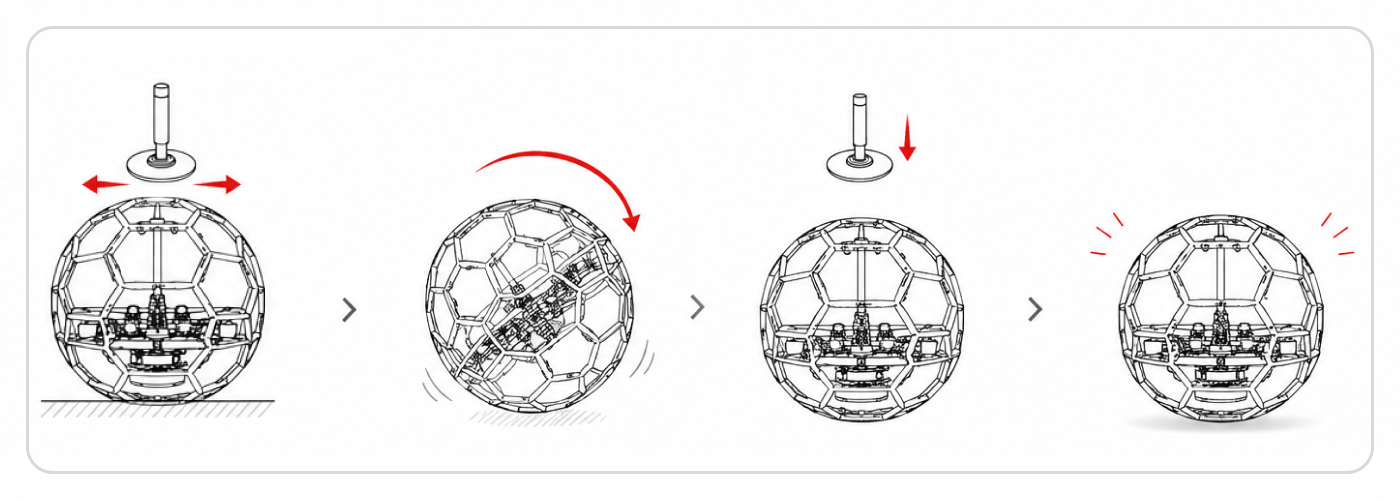
飞机趴地上时,把 绑定开关拨到中档,再解锁,进入反乌龟。With the drone upside down, switch the Turtle switch to Mid, then arm to enter Turtle mode.
然后 朝你想翻的方向打横滚/俯仰杆,对应的电机会反转,把机身顶着翻回正面。Then, push the roll/pitch stick in the direction you want to flip. The corresponding motors will spin in reverse to flip the drone back over.
翻正之后,把 绑定开关拨回低档,再正常解锁起飞。Once upright, switch the Turtle switch to Low, then arm normally to take off.
特点:翻哪边、翻多快由你打杆控制,灵活但需要一点手法。Features: You control the flip direction and speed with the stick. It's flexible but requires some skill.
飞机趴地上时,把 绑定开关拨到高档,再解锁,飞机会 自动判断姿态并翻回正面,不用打杆。With the drone upside down, switch the Turtle switch to High, then arm. The FC will automatically detect its attitude and flip itself upright without stick input.
约 1~2 秒后自动翻正,然后再拨回低档即可。It takes about 1~2 seconds to auto-flip. Once upright, switch back to Low.
特点:一拨即翻,最省事;适合比赛中快速恢复。Features: Simplest method; ideal for quick recovery during races.
本飞控内置多项自动保护功能,全部由飞控在后台自动完成,飞手不需要设置、也不需要拨任何开关。带来的实际效果:This FC features multiple built-in automated protection functions running in the background. No manual setup or switches are required. Benefits include:
装机效率高High Build Efficiency
配合出厂默认参数,新机装好后试飞几秒即可获得良好的滤波与动力表现,几乎不需要手动调参,降低了装机与调参难度,提高生产装机效率。With factory presets, newly built drones fly great right out of the box with optimal filtering and power, reducing tuning time.
飞行效率高High Flight Performance
飞行全程自动优化,飞得更稳、手感更一致。Continuous optimization during flight ensures stability and consistent stick feel.
不吸墙Anti-Wall Suction
贴墙、贴网飞行时不易被吸附卡住。Prevents the drone from getting "sucked" into walls or netting when flying close.
不乱撞Crash Recovery
碰撞、擦网后不会失控乱飞,能自动快速恢复正常飞行。Automatically recovers from mid-air collisions or net bumps without losing control.
失控保护Failsafe Protection
遥控信号丢失后自动停止电机,避免飞机带动力乱冲伤人;恢复信号后需要重新解锁。Motors stop immediately upon RC signal loss to prevent flyaways. Re-arming is required once the signal is restored.
自带 RGB 灯驱动,出厂即开启比赛灯光模式。用 遥控器上的旋钮(默认 AUX7 / S1,通道 11) 切换 8 个档位的颜色:Integrated RGB LED driver with Racing LED mode enabled by default. Use a radio knob (Default AUX7 / S1, Channel 11) to switch between 8 color states:
尾灯全红 (档位1)
进攻 · 红方
| 档位Position | 灯效 | 用途 |
|---|---|---|
| 1 | 尾灯全红Solid Red | 进攻 · 红方Attack · Red |
| 2 | 尾灯全蓝Solid Blue | 进攻 · 蓝方Attack · Blue |
| 3 | 中间绿Center Green | 防守色Defense |
| 4 | 中间白Center White | 防守色Defense |
| 5 | 中间黄Center Yellow | 防守色Defense |
| 6 | 中间紫Center Purple | 防守色Defense |
| 7 | 中间红橙Center Orange-Red | 防守色Defense |
| 8 | 全灭All Off | 关灯(整条不亮)LEDs Off |
上电时默认显示第 1 档(红)。Defaults to Position 1 (Red) on power up.
电池电压 / 低压提醒Battery Voltage / Low Voltage Warning
飞控实时监测电池电压,电压偏低会通过提示提醒你及时降落换电。The FC monitors battery voltage in real-time and provides OSD/Telemetry warnings when it's time to land and swap batteries.
飞行记录(黑匣子)Blackbox Logging
飞控内置存储芯片,会自动记录飞行数据,方便事后回放分析问题。The FC features an onboard flash chip to record flight data automatically for post-flight analysis.
遥控对频(绑定)RC Binding
本机用 ELRS 接收机,按接收机/遥控器的对频方式绑定即可(进入对频模式后遥控器绑定)。This drone uses an ELRS receiver. Bind it using standard ELRS binding procedures (put the RX in bind mode, then bind from your radio).
每位飞手对手感的偏好不一样:有人喜欢灵敏跟手,有人喜欢柔和稳当。为方便大家调参,我们在地面站里预置了几套已经调好的参数(预设),你不用自己一项项改,直接选一套套用即可。Every pilot has different stick feel preferences. To make tuning easier, we've included several pre-tuned profiles (Presets) in the Configurator so you can apply them with one click.
怎么用:How to use:
- 用数据线把飞机连到电脑,打开地面站。Connect the drone to your PC via USB and open the Configurator.
- 在“参数预设”里选择一套(如下表),点击套用。Go to the "Presets" tab, select a profile from the list, and apply it.
- 点击保存写入飞机,断电重连后生效。Click Save and Reboot to write the settings to the FC.
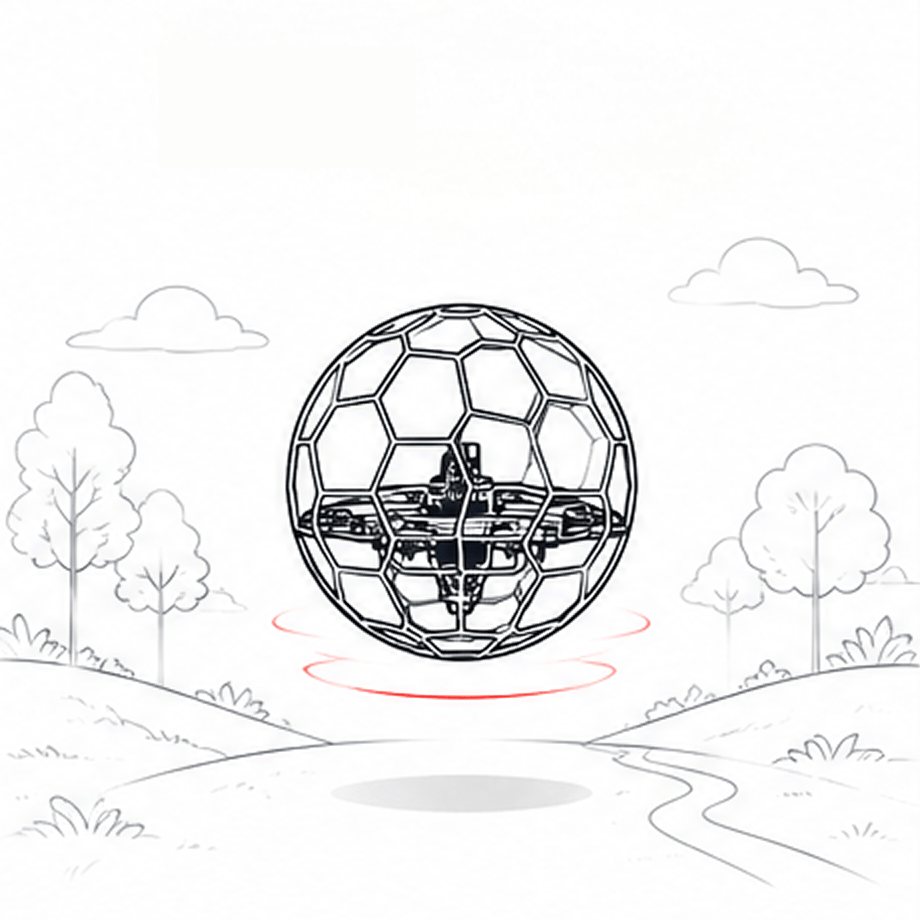
① 稳健 / 新手1. Stable / Beginner
灵敏度低、更柔和、撞后更不易飘 Low sensitivity, smoother feel, less bounce after crashes.
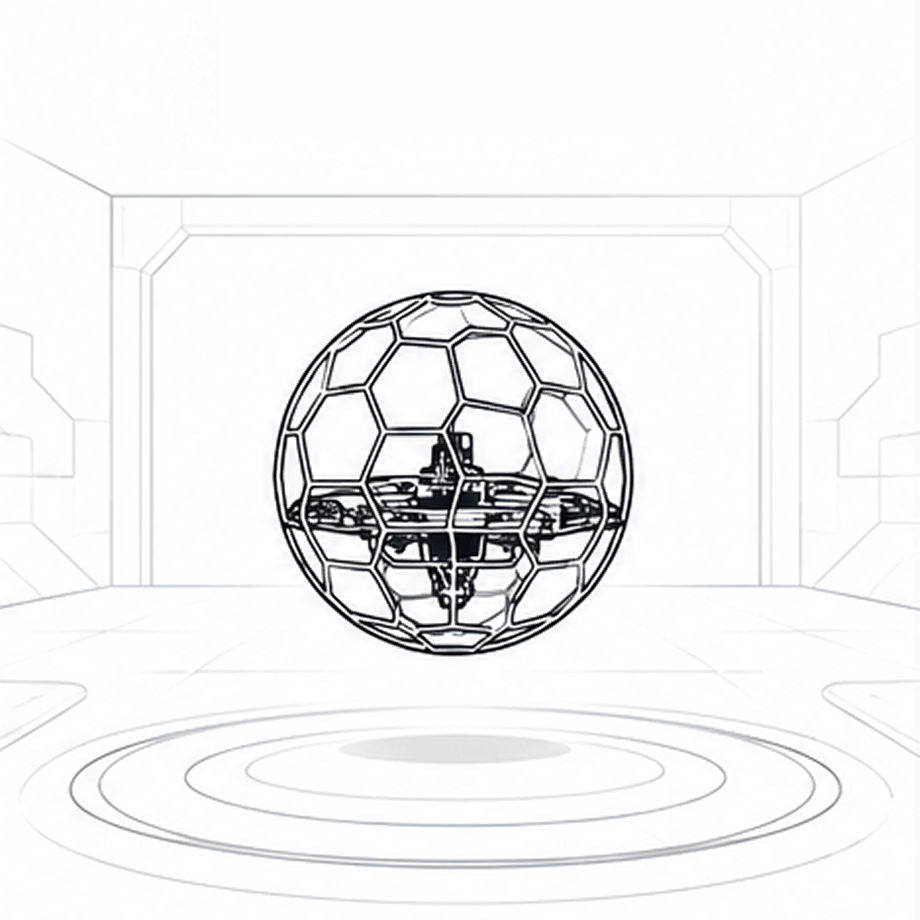
② 标准 / 出厂2. Standard / Factory
均衡,出厂默认手感 Balanced, factory default stick feel.
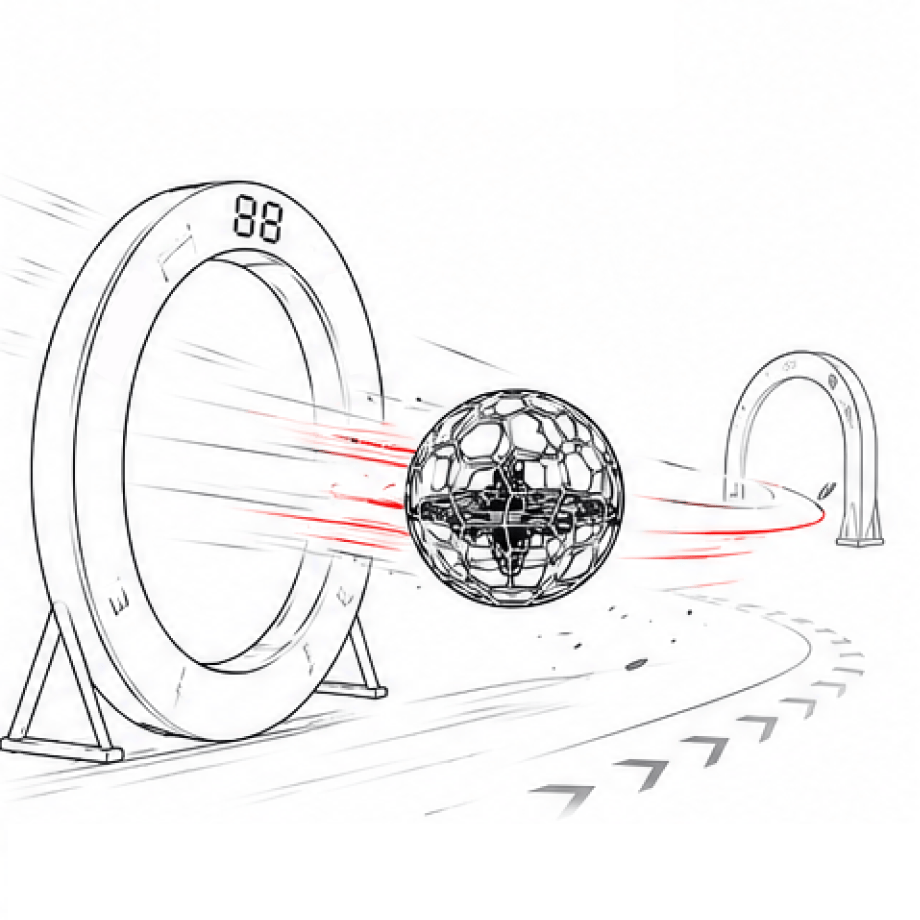
③ 竞技 / 激进3. Racing / Aggressive
高灵敏、旋转快、更跟手 High sensitivity, fast rotation, tighter tracking.
不确定选哪套,先用“标准”,飞一飞再决定要更柔还是更冲。
具体有几套、每套叫什么名字,以地面站实际显示为准。After applying a preset, you can still fine-tune the PIDs manually (see Section 10).
If you are unsure, start with "Standard" and adjust later based on flight feel.
Available presets may vary based on the latest Configurator updates.
出厂参数偏稳、留有余量。如果你觉得球机转得还不够快、不够跟手,可以在此基础上继续往上调内环 PID 和自稳 PID,把机动性拉满。更重要的是:本飞控内置了多重防侧翻机制,调高之后即使大角度、斜向猛打杆,飞机也不会像普通飞控那样冲过竖直、翻过头,所以你可以放心地追求更强的旋转和机动。The factory parameters are stable with margin. If you feel the drone isn't rotating fast enough or lacks stick response, you can increase the inner loop PID and Angle mode PID. More importantly, this flight controller has built-in anti-flip mechanisms, allowing you to safely push for more rotation and maneuverability without the risk of flipping over past vertical even during aggressive stick inputs.
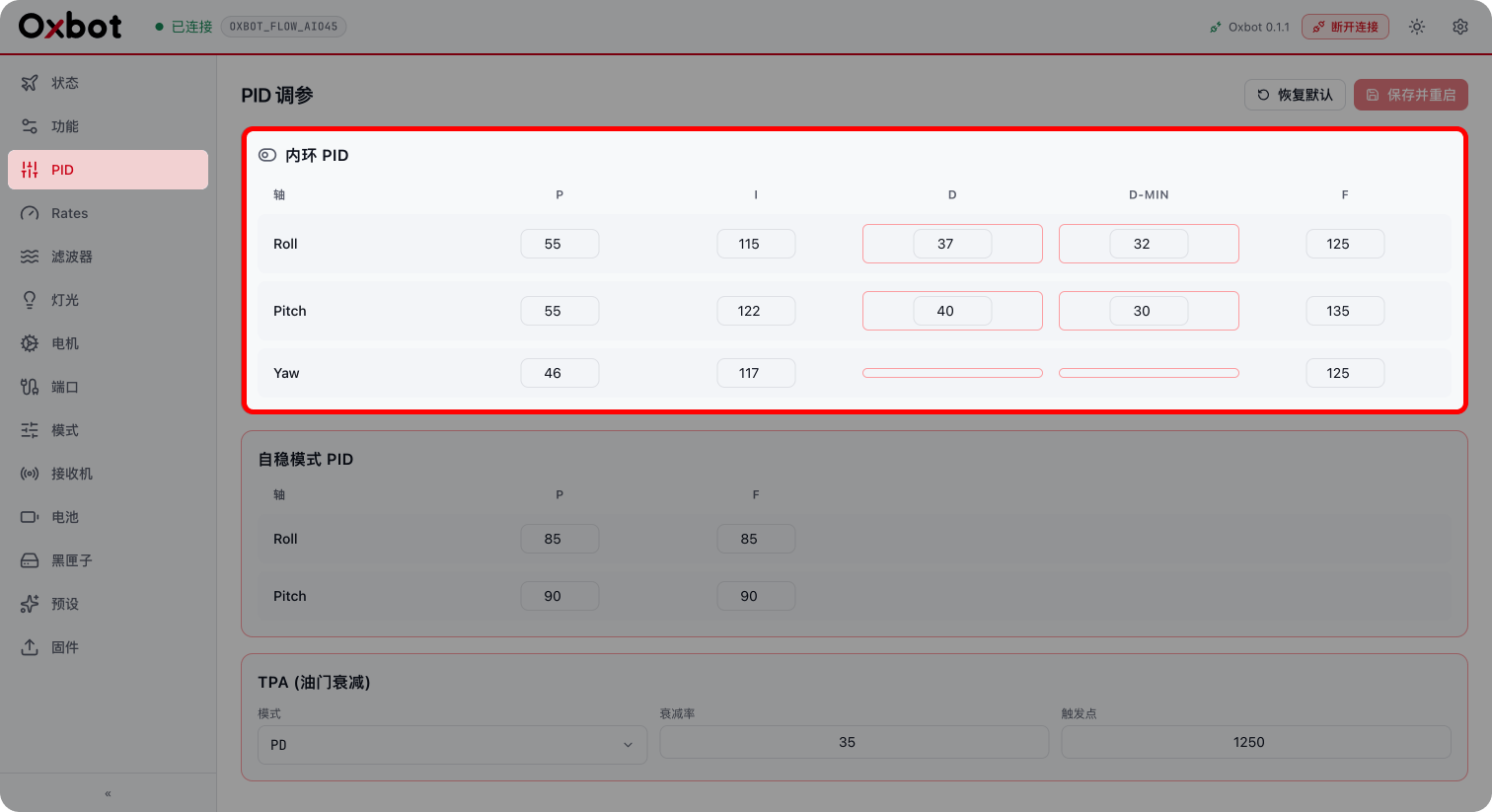
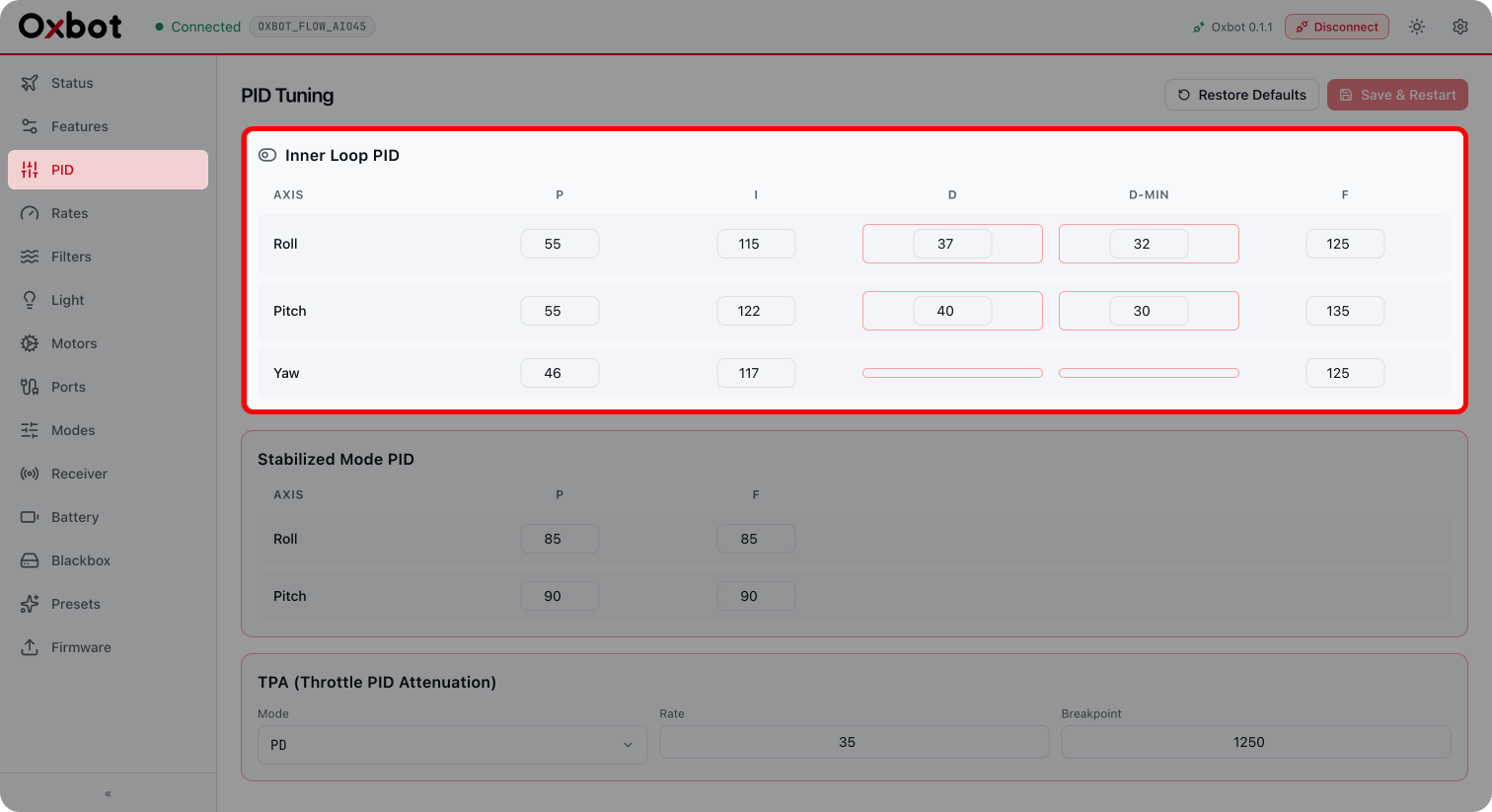
内环 PID 管的是飞机对你打杆的响应力度:Inner loop PID controls the aircraft's response authority to your stick inputs:
- 横滚:pid_roll_p、pid_roll_dRoll: pid_roll_p, pid_roll_d
- 俯仰:pid_pitch_p、pid_pitch_dPitch: pid_pitch_p, pid_pitch_d
- 偏航:pid_yaw_pYaw: pid_yaw_p
调高 P:打杆响应更硬、旋转更有劲、更跟手。Increase P: Harder stick response, stronger rotation, tighter feel.
调高 D:刹车/阻尼更强、停得更干脆(过高会发热、高频抖动)。Increase D: Stronger braking/damping, crisper stops (too high causes heat and high-frequency oscillations).
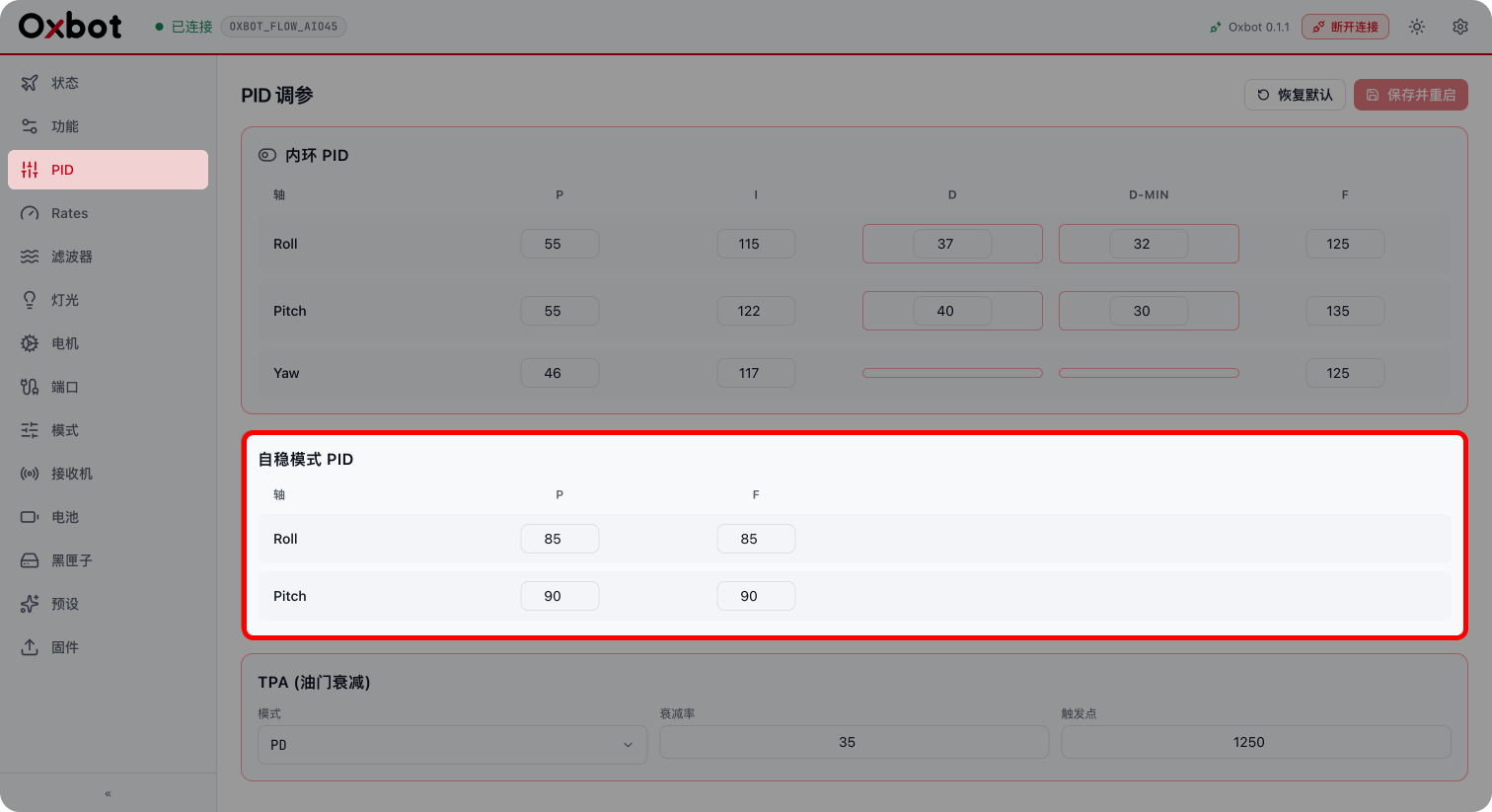
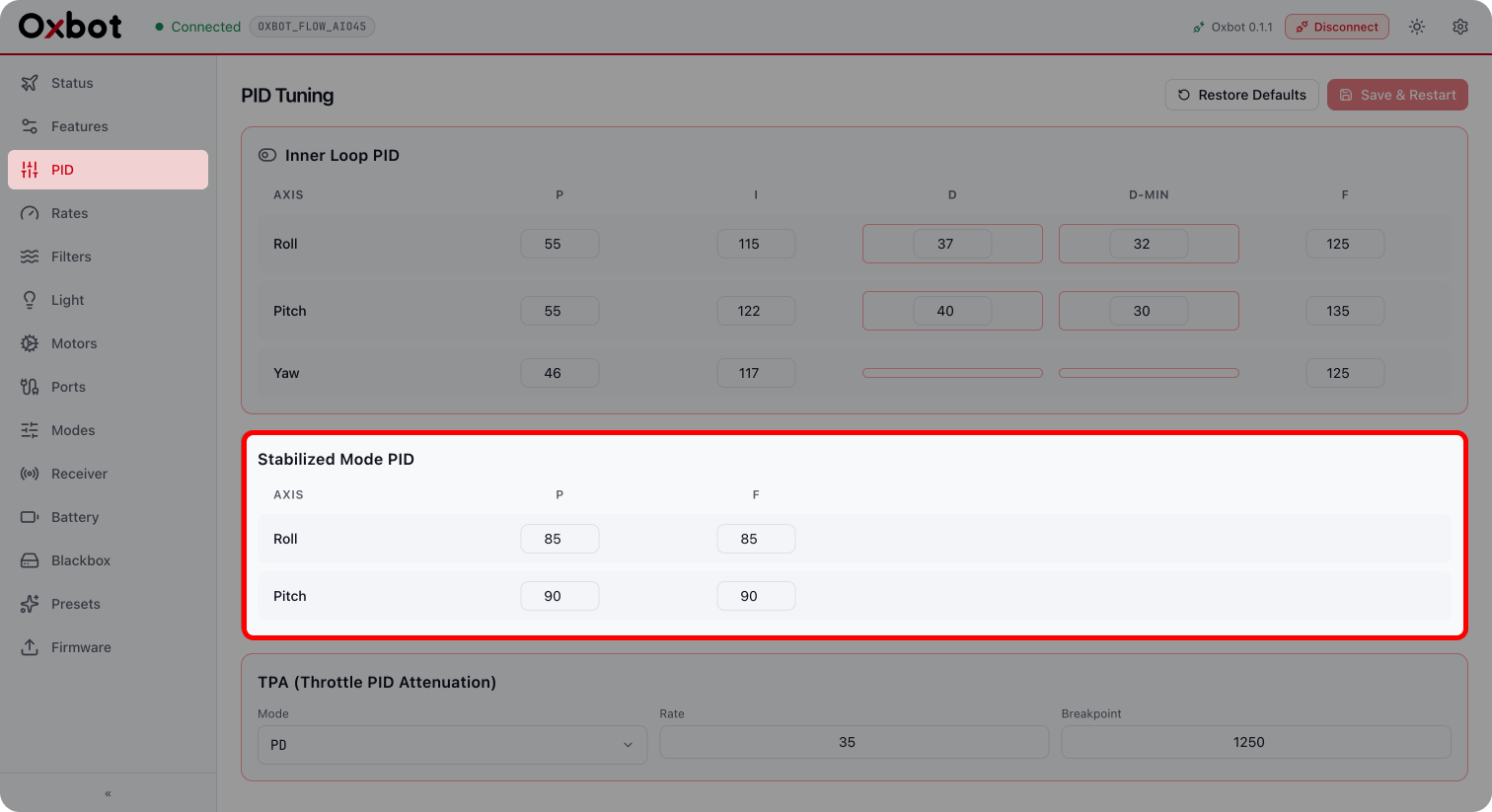
自稳(角度环)PID 管的是飞机进入倾角和自动回正的力度:Angle mode PID controls the authority of entering tilt angles and auto-leveling:
- pid_level_p_roll、pid_level_p_pitch:pid_level_p_roll, pid_level_p_pitch:
把飞机拉到目标角度的劲,调高 → 进入倾角更快、扶正更有力。Force to pull aircraft to target angle, increase → faster entry into tilt, stronger leveling. - pid_level_f_roll、pid_level_f_pitch:pid_level_f_roll, pid_level_f_pitch:
打杆瞬间的前馈,调高 → 入角更跟手、更少延迟感。Feedforward on stick input, increase → tighter entry tracking, less delay feel.
- input_roll_srate / input_pitch_srate / input_yaw_srate:input_roll_srate / input_pitch_srate / input_yaw_srate:
满杆最大转速(数值 × 10 = 度/秒),调高 → 顶速更快。Max rotation speed at full stick (value × 10 = deg/s), increase → faster top speed. - pid_level_angle_limit:pid_level_angle_limit:
自稳最大倾角,调高 → 能压更大角度、机动范围更大。Max tilt angle in Angle mode, increase → allows steeper tilts, larger maneuverability range.
- • PID 不是越高越好。P/D 过高会出现电机发热、机身高频抖动、甚至震荡发散;一旦发现抖动或异响,就往回调。PID is not always better when higher. Too high P/D causes motor heat, high-frequency oscillations, or even divergent vibrations; tune it back down if you notice shakes or weird noises.
- • 每次只动一两个参数、逐步加,方便判断是哪个参数带来的变化。Only adjust 1-2 parameters at a time and increase gradually to identify which parameter caused the change.
- • 上调机动性会更费电、发热更高,请结合电池和电机温度综合判断。Increasing maneuverability consumes more power and generates higher heat, please judge comprehensively with battery and motor temperatures.
| 参数名称Parameter | 作用Role | 调高后的效果Effect of Increasing |
|---|---|---|
| pid_roll_p | Roll轴 PRoll P | 响应更快、更跟手Faster roll response |
| pid_pitch_p | Pitch轴 PPitch P | Pitch响应更快Faster pitch response |
| pid_yaw_p | Yaw轴 PYaw P | Yaw响应更快Faster yaw response |
| pid_roll_d | Roll轴 DRoll D | 刹车更强Stronger roll braking |
| pid_pitch_d | Pitch轴 DPitch D | 刹车更强Stronger pitch braking |
| pid_level_p_roll | 自稳 Roll PAngle Roll P | 进入倾角更快、扶正更有力Snappier roll leveling |
| pid_level_p_pitch | 自稳 Pitch PAngle Pitch P | 进入倾角更快、扶正更有力Snappier pitch leveling |
| pid_level_f_roll | 自稳 Roll FAngle Roll F | 入角更跟手Tighter roll tracking |
| pid_level_f_pitch | 自稳 Pitch FAngle Pitch F | 入角更跟手Tighter pitch tracking |
| input_roll_srate | Roll S RateRoll S Rate | 最大旋转速度变快Higher max roll rate |
| input_pitch_srate | Pitch S RatePitch S Rate | 最大旋转速度变快Higher max pitch rate |
| input_yaw_srate | Yaw S RateYaw S Rate | 最大旋转速度变快Higher max yaw rate |
| pid_level_angle_limit | 自稳最大倾角Angle Limit | 能压更大角度Allows steeper tilts |
需要配置飞控?Need to configure FC?
前往飞控地面站,快速完成飞控参数配置、固件升级与设备管理。Go to FC Ground Station to configure parameters, upgrade firmware and manage devices.
打开飞控地面站Open FC Ground Station
需要配置电调?Need to configure ESC?
前往电调地面站,快速完成电机转向配置、开机音乐与固件升级。Go to ESC Ground Station to configure motor direction, startup music and upgrade firmware.
打开电调地面站
Open ESC Ground Station